
Product scene
Move a product into a new environment
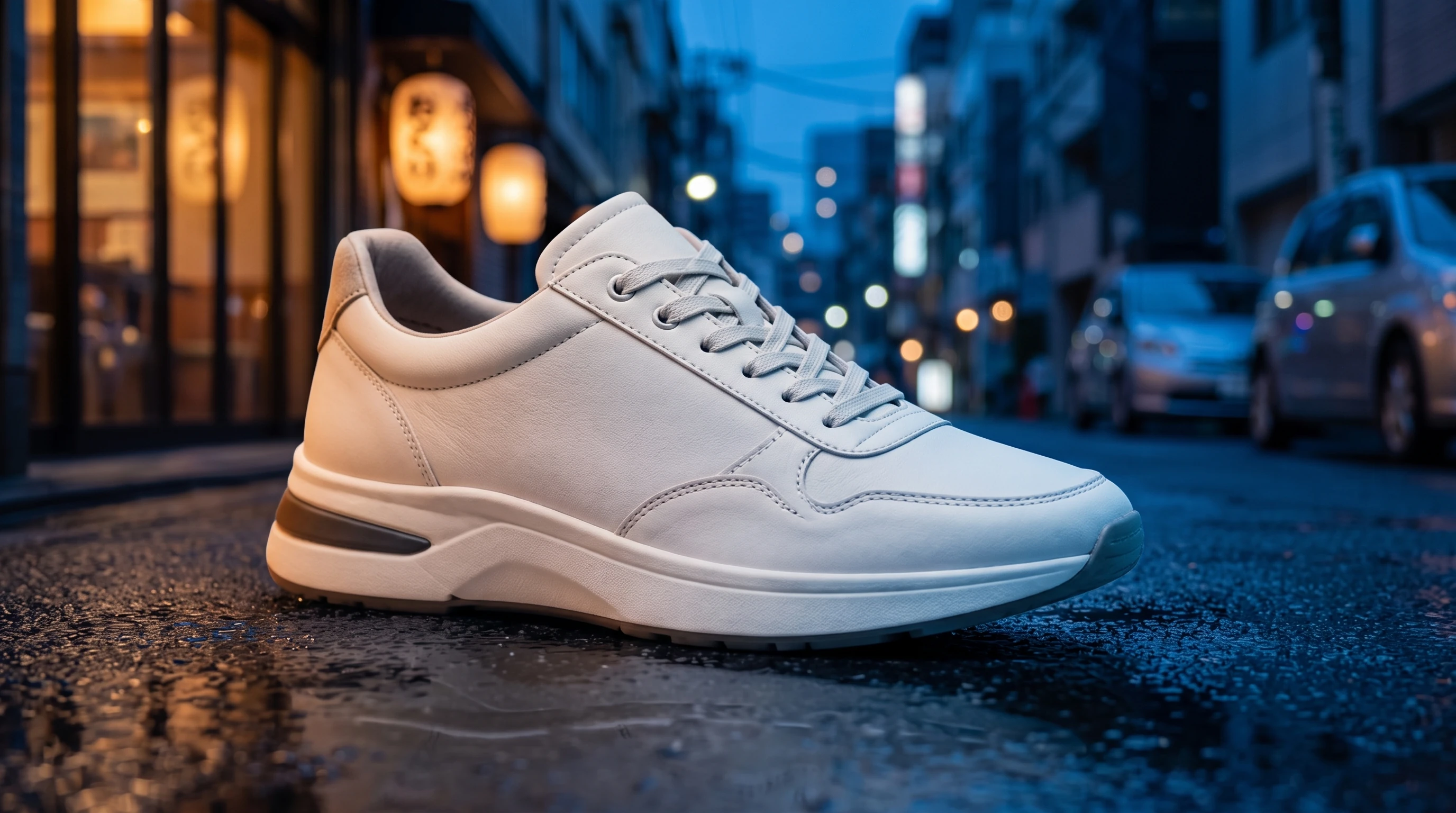
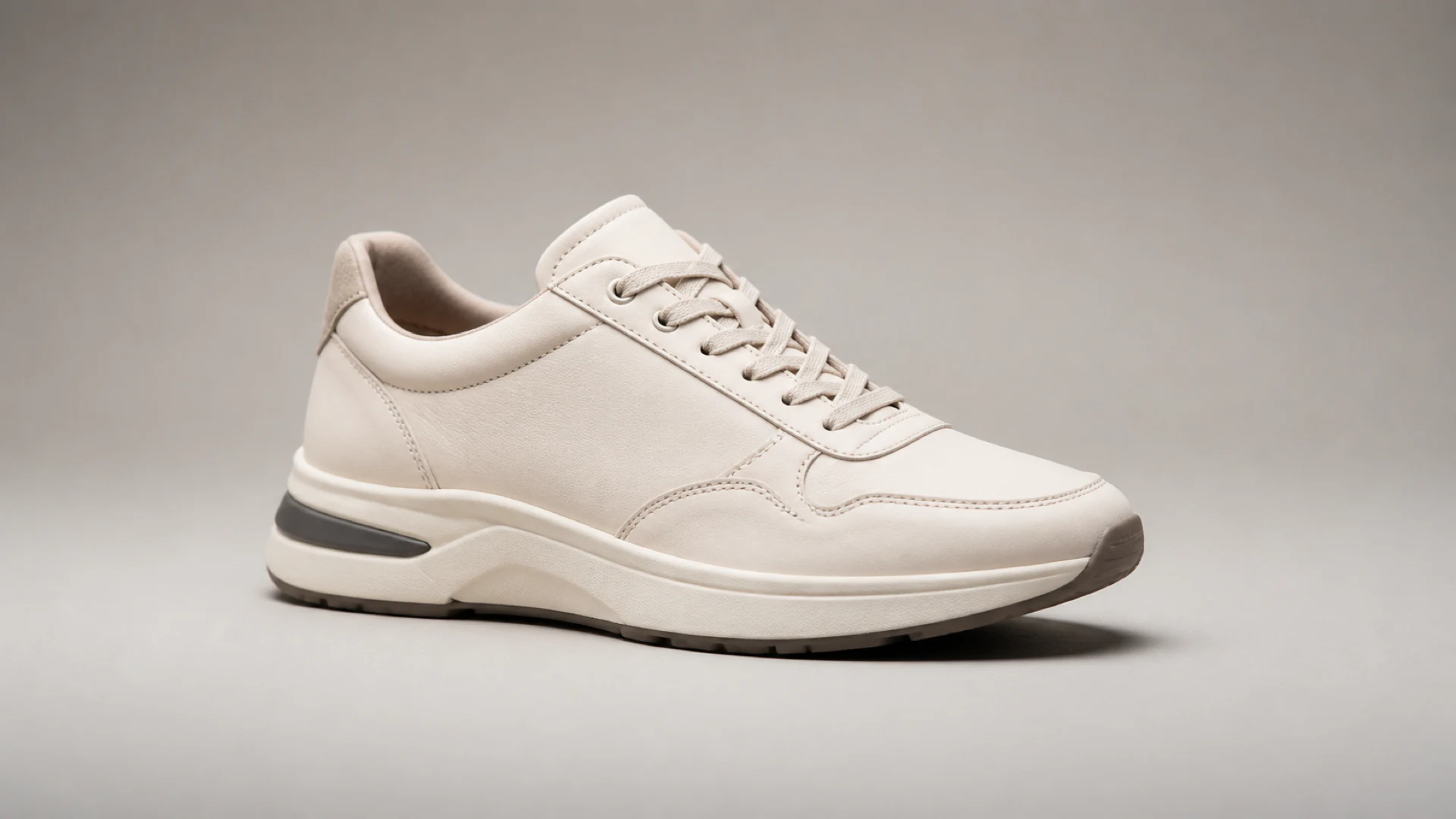
Use img2img to keep a product recognizable while rebuilding its surroundings. This edit preserves the sneaker, then matches the street light, shadow, and wet reflections.
Img2Img AI image editor
Img2Img AI Generator turns reference images into controlled AI edits. Upload one or more images, explain what to preserve and what to change, then use image-to-image AI to replace backgrounds, restyle the image, or create new visual variations. Before generating, choose the model, optional Style, aspect ratio, quality, and 1–4 outputs.
New accounts receive starter credits. Review the selected model and credit cost before generating.
Drop, paste, or choose one or more images. The selected model shows the exact limit.
Source and result, side by side
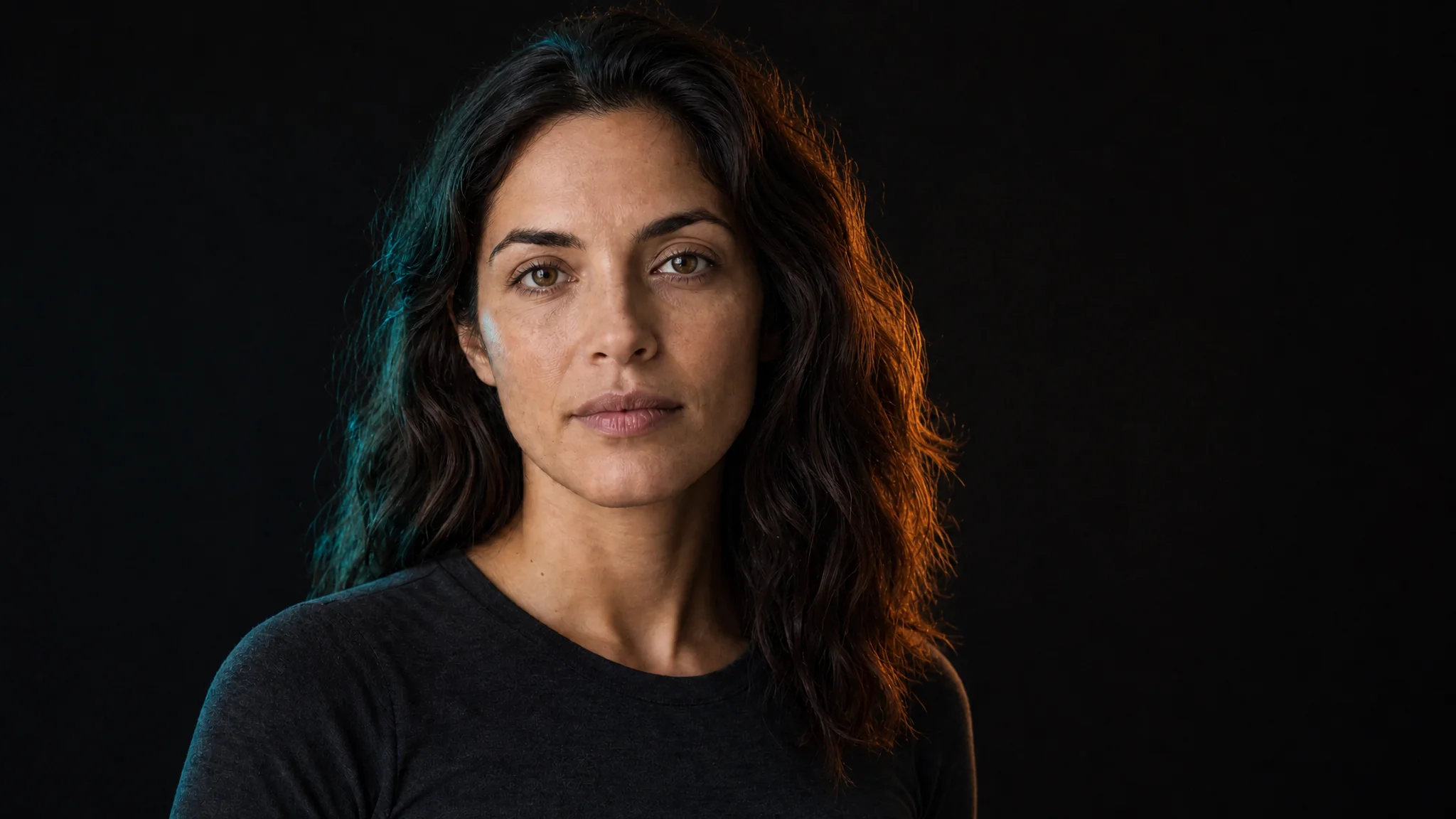
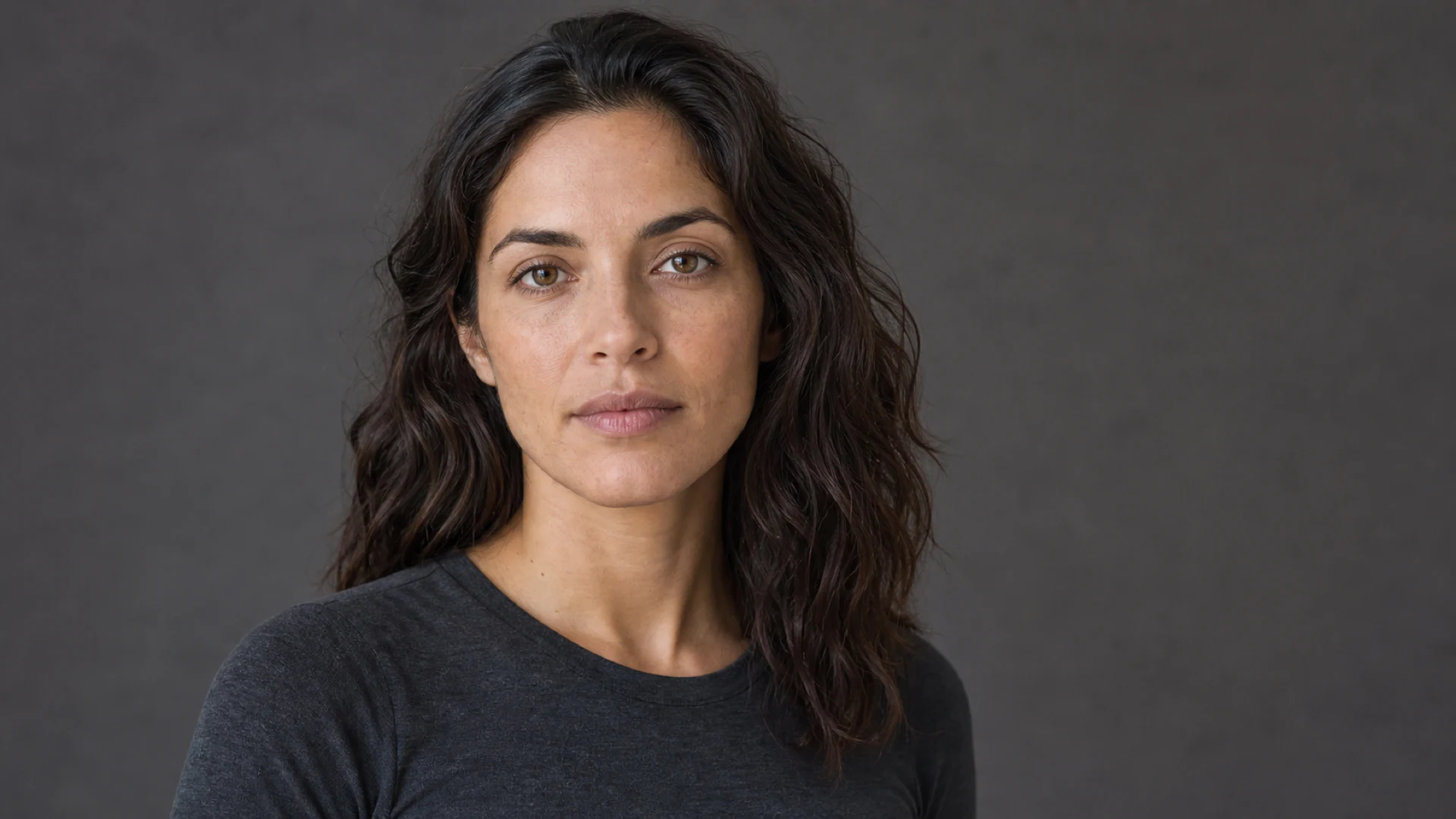
Drag each comparison to see how an img2img AI edit changes the source image. Results vary by model, source image, prompt, and settings.
Product scene
Use img2img to keep a product recognizable while rebuilding its surroundings. This edit preserves the sneaker, then matches the street light, shadow, and wet reflections.
Portrait relighting
An img2img portrait edit can replace flat light with a cinematic setup while keeping the face, expression, hair, clothing, and crop recognizable.
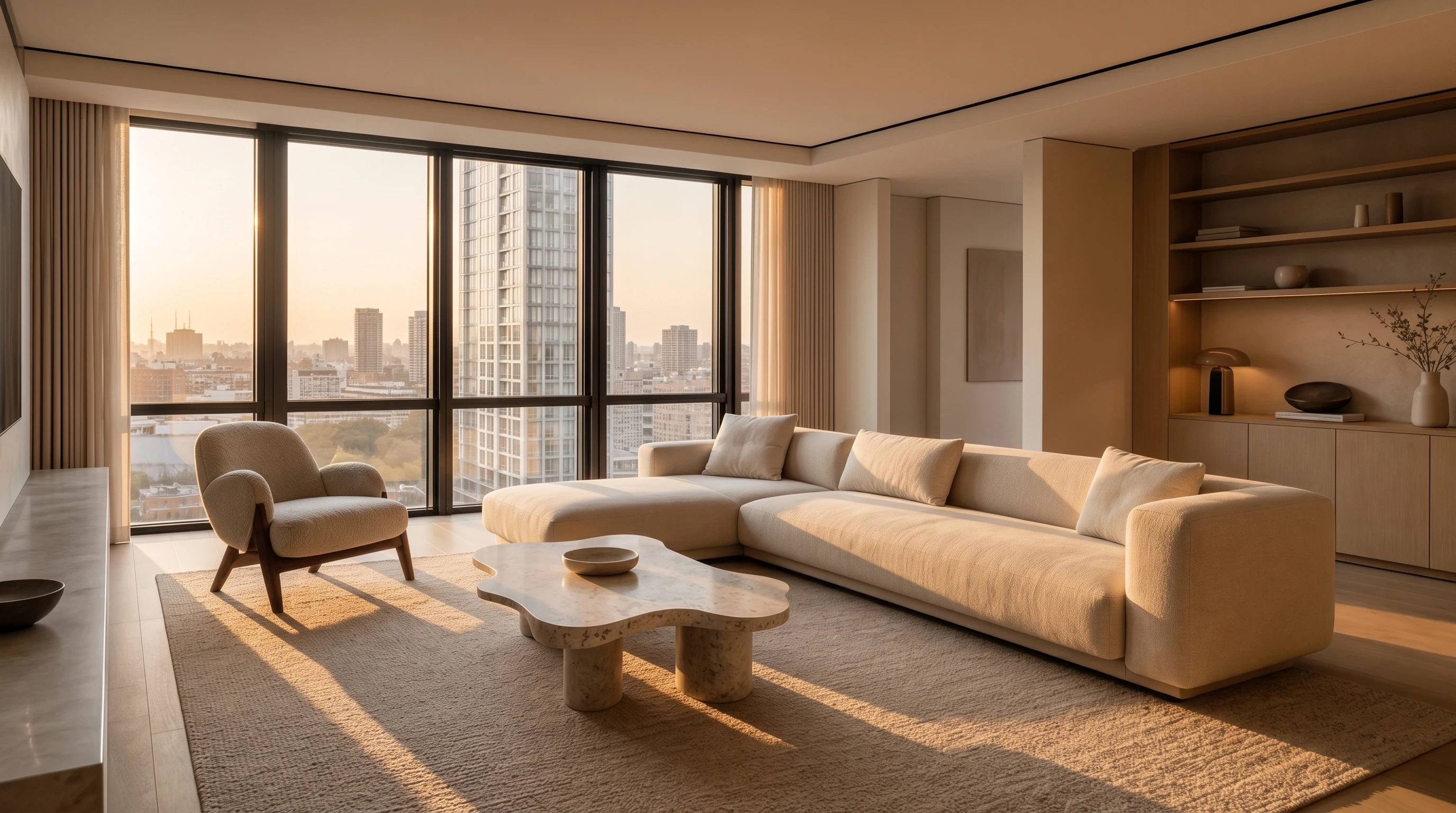
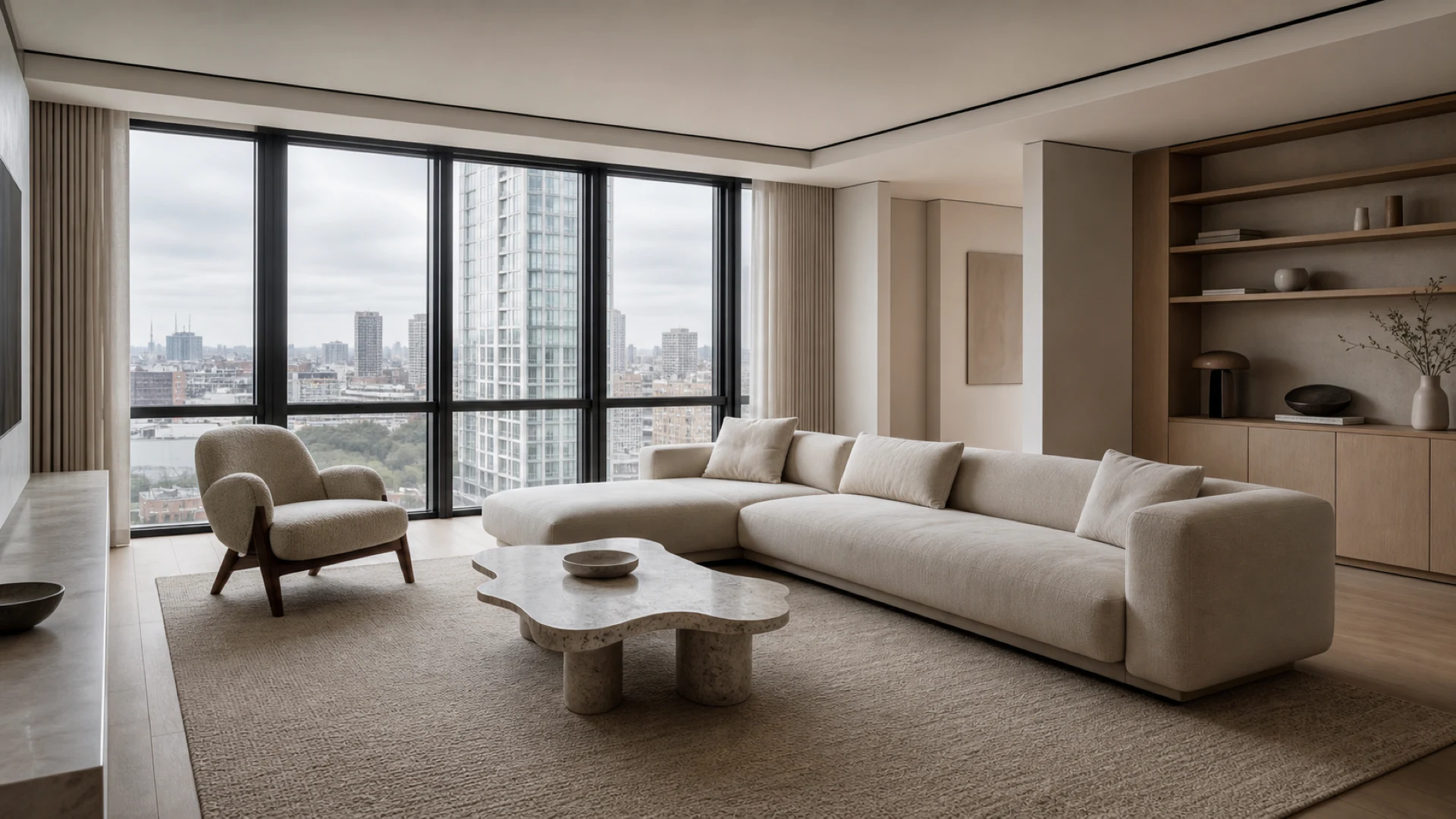
Interior direction
Use img2img AI to test another time of day without redrawing the room. The architecture, viewpoint, and furniture layout remain readable.
Start with a practical goal
Choose a practical img2img workflow to prefill the editor. The example adds no marketing images to your uploads, so only your own reference images are sent with the request.
Image to image, made practical
Img2img is an image-to-image AI workflow that starts with visual context, not words alone. Unlike text-to-image, the source image provides the subject, composition, pose, shape, or layout, while your prompt explains what should remain recognizable and what should change.
This AI image editor works well for background replacement, relighting, restyling, and concept exploration. For a reliable img2img result, state what must remain recognizable before naming the new visual direction. Results still depend on the model, source quality, reference order, prompt, and settings.
Add one or more images you have the right to use. Give every reference a purpose: subject, scene, lighting, material, or visual direction.
Name what the img2img model should preserve first, then describe the new background, mood, style, color, or detail you want.
Choose the model, optional Style, ratio, quality, and 1–4 outputs. The workspace shows the maximum credit reservation before generation.
Generation continues in the background. Review each delivered result in the workspace or Creations, download it, or reuse it as a new reference.
One workspace, clear choices
Use Nano Banana Pro, GPT Image 2, and Seedream 5.0 Pro in one Img2Img AI Generator. Choose quality, aspect ratio, and 1–4 outputs, then check the required credits before starting your image-to-image edit.
Choose Nano Banana Pro when your img2img edit needs high-resolution output and controlled reference-based changes.
Choose GPT Image 2 for img2img edits that need detailed instructions, composition awareness, or flexible visual changes.
Choose Seedream 5.0 Pro when you need to guide an img2img edit with multiple references and higher-resolution output.
A higher credit cost does not guarantee the best img2img result for every source. Match the model and settings to the edit you need.
Understand every generation
Source images are processed privately for a limited time and are not added to Creations by default. Creations stores delivered img2img results and the job details you need to review or continue your work.
Your uploaded references are not saved in Creations by default.
Review outputs, prompts, settings, and delivered variants.
Every grant, use, expiry, purchase, and refund has a record.
Credits are reserved for 1–4 selected images, then kept only for delivered results. Missing outputs return to the original balance and expiry.
More control when you need it
Upgrade for monthly credits, higher-resolution options, larger reference limits, and more parallel img2img jobs. Visit Pricing to compare every plan, credit tier, monthly price, and annual discount.
Answers before you generate
Img2img, also called image to image AI, starts with an uploaded image and a prompt. It helps guide the subject, pose, composition, layout, or style while you describe the change you want.
Yes, after sign-in. New accounts receive 10 starter credits and can claim 2 daily. Free use includes Nano Banana Edit and Nano Banana 2 at 1K, costing 3 and 5 credits per image respectively. Higher resolutions and other models require a paid plan.
You can explore the img2img workspace and prepare a prompt before signing in. Sign in is required before generating an image so the result and credit activity can be associated with your account.
Yes. Supported img2img models accept ordered references. The workspace shows the current limit. Give each image a clear role, such as subject, scene, lighting, or style.
A useful img2img prompt names each reference, states what must remain recognizable, then describes the background, lighting, material, mood, or style to change.
Text-to-image begins with words. An image to image AI workflow begins with uploaded visual context plus a prompt, helping the model follow an existing subject, pose, shape, layout, or style.
Uploaded sources use short-lived private processing and are not added to Creations by default. Generated-output retention is separate; current img2img deletion rules appear on the Privacy page.
Request 1–4 images in one img2img job. Credits are reserved for the maximum, then kept only for delivered outputs. If two of four succeed, you receive two results and an automatic refund for two. Both entries remain in credit history.
Commercial use depends on your source rights, selected img2img model, output, and product terms. Upload only authorized content and review brand, identity, and text details in this AI image editor before publishing.
Your images, your direction
Add your references and describe the change, then review the model, output settings, and credit cost before generating your next img2img image.
Create an Img2Img Edit